Individual Backups
Back up your Windows PCs, Mac devices, and other file data to the cloud and never lose a file again.

Full protection for your digital life
Safeguard your Windows PCs, Mac devices, and other data with Cloud Backup’s comprehensive data protection tools.

Back up your entire device
Keep all your data safe by protecting your device completely.
System and software
Protect the tools you use every day by backing up system configurations, user settings, and applications.
Files and folders
Secure multiple versions of documents, photos, videos, and audio files, to restore your work if things go wrong.
Restore what you need
Continue where you left off with flexible recovery options.
Your entire PC
Bring your PC back to life by performing bare-metal recovery to your main computer or a new one.
A single file or folder
Browse backups using a familiar tree structure to locate and recover only the files or folders you need, and retain the permissions in place at the time of backup when restoring files and folders.
Manage backups easily
Decide when you want to back up your data and how many backup versions to keep according to your needs.
Daily backup protection
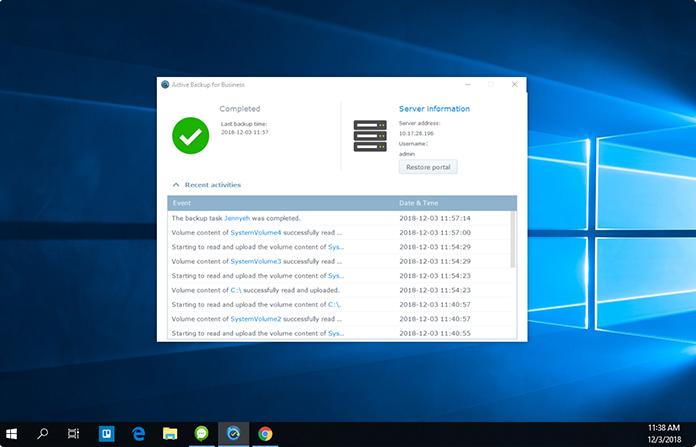
Backups run automatically on a daily basis. When backing up physical devices, schedule backups to run at set times or when triggers occur such as when your PC starts up, the screen locks, or when you log out.
Email notifications
Set up and receive custom notifications for the tasks you choose. Get updates on storage usage, backup status, and cloud application restore status. Stay on top of your tasks wherever you go.
Your backups are safe with us
Guard your backups against unauthorized access and data loss.

Private key protection
Lock backups away with a private key, ensuring that only you have access to your files.
Client-side encryption
Your data is protected through AES-256 encryption before it is uploaded to C2 servers.

High data throughput and resiliency
Your data is protected on servers with 99.999999999% availability.